3D Cave
We have delivered several types of 3D projection, from compact 3 m cinemas for classrooms and 3D systems for lecture halls to a large panoramic 3D cinema with a 12 m curved screen.
A separate important chapter is the creation of 3D Caves. Creating a cave is much more complicated because multiple walls need to be synchronized with each other. We delivered the cave on a turnkey basis, handling the mechanical structure, hardware and projection, and developing the software.

3D Cave for TUZVO
We designed and delivered a 3D Cave for the Technical University of Zvolen.
The cave displays the surrounding space on 5 walls of specialized glass screens measuring 3 x 3 x 2.3 m. Our software drives 14 projectors and runs on a cluster of 7 computers with powerful graphics cards. The system is equipped with a control console with a space mouse, remote control, optical head tracking and powerful 3D sound. Due to space reasons, some projectors project the image onto walls through special mirrors.


Key Project
Statistics
Our project’s impact is reflected in these key metrics, demonstrating successful collaboration, measurable growth, and significant improvements in safety and efficiency. These numbers showcase how targeted research and innovative solutions drive real-world results.
2012
In use from
2
Technical upgrades
1000+
Students
Components of 3D Cave
Construction and projection

Mechanical construction
The proposed mechanical structure of the 3D Cave respects the spatial possibilities of the room as well as the geometry of the projectors’ projection. To achieve the desired dimensions of the 3D Cave, 4 special large-area mirrors were used for projection onto the upper and lower surfaces of the cave.

Specialized safety screen glass for 3D projection
This safety glass screen was custom-made by the glassworks for this project. It was necessary to obtain a screen that had a high viewing angle and uniform gain over the entire surface, even at a short viewing distance. We almost completely suppressed the hotspot.

Projectors
A separate projector is designed for each eye projection, so there is a pair of projectors at each projection point. The projection on the front and both side walls each uses its own pair of projectors. The projection on the upper wall is divided into two parts and two pairs of projectors project onto the screen via two mirrors. The same goes for the lower part, so a total of 14 NEC short throw projectors are used.

3D filters & glasses
In order to achieve high-quality stereoscopic projection in the cave, it was necessary to choose a type of projection that does not depend on the rotation of the head relative to the projection surface. Active systems have their disadvantages, which is why Infitec was chosen. The advantage of the Infitec system is that the filters are made of glass and therefore could be installed directly into the projector optics.
Interaction and control

3D sound system
A powerful 5.1 sound system was selected for the sound. The software used is able to adjust the position of the sound source along with the position of the projected object in space.

3D tracking & motion control
We have proposed the use of the HTC Vive tracking system (SteamVR Lighthouse) in a configuration suited to the Cave. The user has one controller in each hand. The head position is tracked by a separate sensor, so the software can calculate the image display based on the head movement. This allows you to look around corners. An additional sensor is also available for tracking the position of another object. In addition to this solution, a space pilot is also available.

Control Console
A control console with a touch screen is used to control the entire cave. Special control software allows you to turn projectors and servers on and off, launch 3D visualizations, as well as interactively enter the 3D cave during visualization. For the simplest possible control, there is a one-push button at the entrance to easily turn the entire cave on/off.

Preview monitor
For viewers outside the cave, there is an overview monitor located outside the cave, on which the central wall is rendered.
Computing infrastructure

Computer system
To ensure computational performance, a computer cluster consisting of seven computers with powerful NVIDIA graphics cards is used. Each computer renders an image for a pair of projectors (left and right eye). To ensure image synchronization, all computers are connected by a local computer network, which is connected to the school network via a firewall.
50+ customers worldwide trust us


3D Cave
Integration with other systems

HMD & desktop co-development
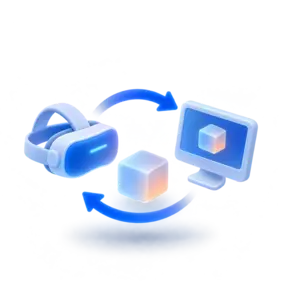
You can run your application created with the 3D Cave library as a 3D Cave application, an HMD application, or a standard desktop application. You do not need to create it as a separate application for each display type.
HMD & desktop cooperation
You can create an application and configure it so that after running it simultaneously in the 3D Cave and the HMD, or desktop, users can interact with each other in one and the same virtual space.
Sibyla
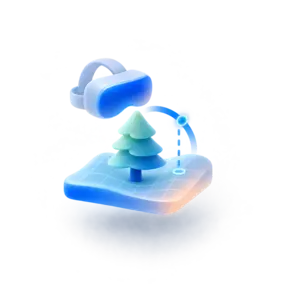
The 3D forest visualization application for the 3D Cave is integrated with Sibyla. Sibyla is a “Simulator of forest biodynamics”, which belongs to the category of tree growth simulators. You can learn more about the simulator here.
Open integrations
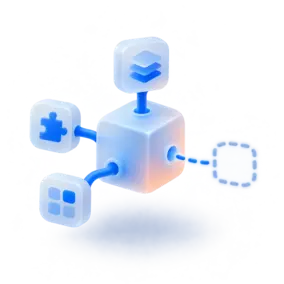
Since it is possible to run your own Unity application in the 3D Cave, it is up to you what other connections you create with other systems.
Software
The latest version of basic visualization software is created in Unity. A library supporting 3D stereoscopic display in the cave was created, which ensures synchronization of image display on individual projection surfaces. The library structure was chosen so that it was possible to very easily modify the original desktop application written in Unity to a version suitable for 3D Cave. A well-known Unity demo game could be modified in this way in less than an hour. After this modification, the application can be used either as a desktop version, a version for HMD display or as an application for 3D Cave, depending on the configuration file used.
We have created specialized software for educational purposes. The software displays a forest with the option of marking or felling trees. The student can then use the Sibyla growth simulator to calculate the new state of the forest over the next few years and evaluate whether the forest is growing as invented. If not, they can go back, make corrections and repeat the whole cycle. This way he can learn to care for the forest in a short time without having to wait for the trees to grow.


